Step by step
How to Convert TikTok to MP3
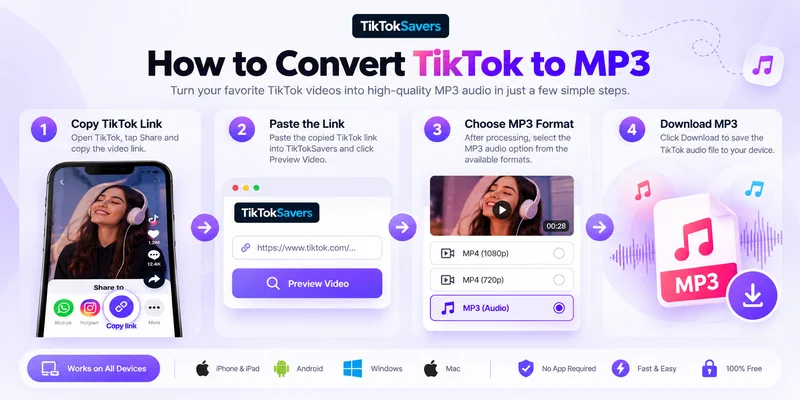
Turning a TikTok video into an MP3 takes only a few steps.
-
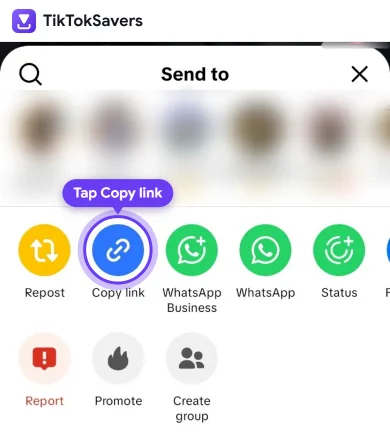
011. Copy the TikTok Video Link
Open TikTok and find the video containing the audio you want. Tap Share → Copy link.
On desktop, you can also copy the TikTok video URL from your browser.
-
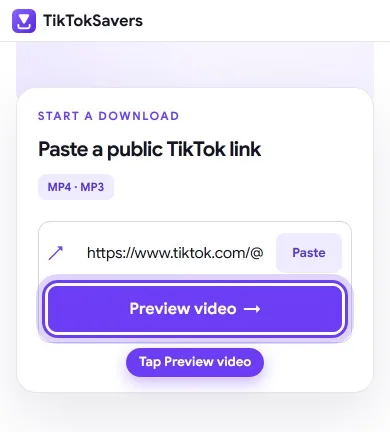
022. Paste the Link into TikTokSavers
Paste the copied URL into TikTokSavers and select Preview Video. The tool processes the public TikTok link and displays the available download options.
-
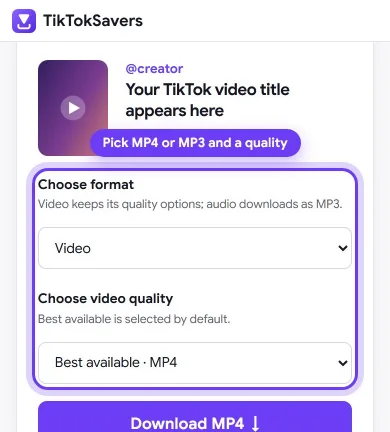
033. Choose MP3 Audio
Choose the available MP3 option when you only want the audio instead of the complete MP4 video.
-
044. Download the MP3
Select Download to save the audio file to your device.
TikTokCopy LinkPastePreviewMP3Download
TikTok MP3 Downloader – Save Audio Without the Video
You don't always need to download an entire TikTok video. Sometimes the music, original sound, voiceover or another audio clip is all you want.
The TikTok MP3 downloader lets you extract the available audio from a supported public TikTok video and save it separately as an MP3.
This is useful for offline listening, saving audio from your own content, keeping a voice clip for reference, or storing a sound without the larger video file.
Need the complete video instead? Use our TikTok Video Downloader and choose an available MP4 resolution.
TikTok Audio Downloader for Music, Sounds & Voiceovers
TikTok audio isn't limited to songs. Videos can contain music, trending sounds, original audio, remixes, speech, voiceovers and sound effects.
TikTokSavers works as an online TikTok audio downloader and TikTok sound downloader for supported public video links. Copy the video URL containing the sound, paste it into the tool and choose MP3 when available.
You don't need different tools to download TikTok audio, save a TikTok sound or extract music from a video—the same MP3 workflow handles these audio-only intents.
Download TikTok Sounds Online Without an App
TikTokSavers runs in your web browser, so you don't need to install a dedicated TikTok audio downloader app or conversion software.
Simply provide a supported public TikTok URL and choose the available download format. You don't need to enter your TikTok username or password.
TikTokSavers can therefore be used as a browser-based TikTok saver when you want to save available MP3 audio or download the full video as MP4.
TikTok MP3 Audio Quality
The quality of a TikTok MP3 depends on the audio available from the original source video.
Converting compressed source audio to a higher bitrate cannot recreate audio detail that wasn't present in the original. For that reason, TikTokSavers does not make an artificial 320kbps quality claim simply because an MP3 can be encoded at that bitrate.
For the best result, use a TikTok video with clear source audio and choose the available MP3 option.
Download TikTok Music, Songs & Sounds
The same TikTok to MP3 converter can be used for different types of audio contained in supported public videos. That might be a song you want to listen to offline, an original creator sound, a short voice clip, a remix or a sound effect.
You can also use a downloaded audio file as the starting point for a personal ringtone or notification sound. Setting it as a ringtone is a separate device-specific process and may require trimming or converting the audio first.
Always respect the rights of the original creator or copyright holder when saving or reusing TikTok music and sounds.
Why Can't I Download Some TikTok Audio?
If the TikTok audio downloader can't process a link, first make sure you copied the complete URL using TikTok's Share → Copy link option.
TikTokSavers is designed for supported public TikTok videos. Private, deleted, unavailable or restricted content may not be accessible.
Available formats can also depend on the source. If MP3 isn't shown for a particular video, submitting the same unavailable content in another format won't necessarily create an audio option.