1. Enter a TikTok Username
Type the username you want to check into the search box. You can enter a handle with or without the @ symbol.
Free username search tool
Search any TikTok username to check if it's taken or available with our free TikTok Username Checker. View public profile details, account information, followers, likes, and more in one place.
Enter a username, with or without the @ sign.
Looking for a TikTok username or wondering if your favorite handle is already taken? Use our free TikTok Username Checker to search usernames, check availability, and find public TikTok accounts in seconds. With TikTokSavers, you can view profile details, user IDs, account information, followers, likes, and videos, all in one place.
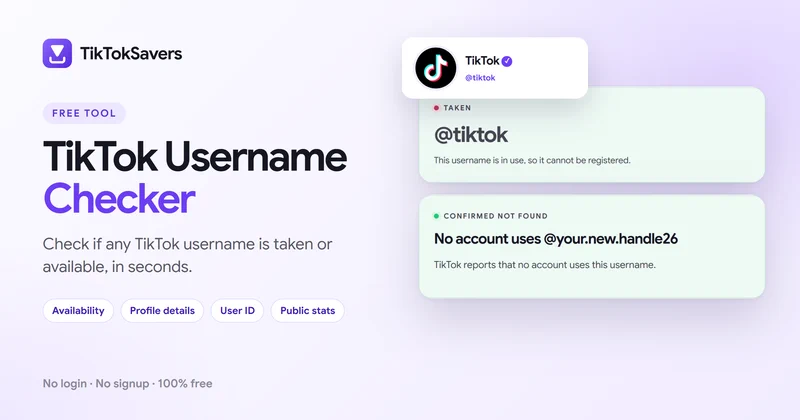
Checking a TikTok username is simple with TikTokSaver. Whether you're searching for an existing account or checking if your preferred handle is taken, our free TikTok username checker helps you find publicly available information in a few steps.
Type the username you want to check into the search box. You can enter a handle with or without the @ symbol.
Our tool searches for the matching TikTok account and checks the available public information.
Review the username status and available profile details, including the display name, user ID, followers, likes, and videos.
If the username is already taken, try another variation. When a lookup cannot be verified, the tool displays an uncertain result rather than incorrectly marking the username as available.
Want to search for a TikTok username without installing the app? Our online TikTok username search tool works directly in your web browser on iPhone, Android, Windows, and Mac.
Simply enter a TikTok handle to look for its public profile. You can check usernames, identify matching accounts, and review accessible account information without signing in to TikTok.
This is useful when you want to find a creator, research a public account, or check a username before creating your own TikTok profile.
Found the account you were looking for? You can save its public videos with our TikTok downloader for iPhone or TikTok downloader for PC, or keep just the sound with TikTok to MP3.
Before choosing a TikTok handle, it's important to check whether another account is already using it. A unique username helps people recognize your profile, mention you in videos, and find your account through TikTok search.
Our TikTok username availability checker helps you understand three possible outcomes:
| Username Status | What It Means |
|---|---|
| Taken | A matching TikTok account has been identified. |
| Available | Availability has been positively confirmed by a reliable check, where supported. |
| Unknown / Unverified | TikTok did not provide enough information to confirm whether the username is taken or available. |
An account that doesn't appear in search isn't automatically available. TikTok may restrict lookups, reserve certain usernames, or temporarily prevent access to public profiles.
TikTok has specific rules for usernames. Understanding these requirements can help you avoid errors when creating a new handle or changing your existing one.
Your TikTok username and display name serve different purposes.
| TikTok Username | TikTok Display Name |
|---|---|
| Unique account handle | Public-facing profile name |
| Appears with an @ symbol | Appears as your profile nickname |
| Used in your TikTok profile URL | Helps visitors recognize your account |
| Supports specific characters | Can include spaces and other characters |
| Generally changeable every 30 days | Has a separate change limit |
For example, @alex.cooks could be the username, while Alex's Kitchen is the display name.
If you're wondering what is my TikTok username, open your TikTok profile and look for the unique @handle displayed beneath your profile name.
A TikTok username search can reveal more than whether a handle is already taken. When public account information is accessible, TikTokSavers can help you identify the account and review its available details.
Identify the account's unique handle and public name.
Recognize the creator, business, or account you're searching for.
Find the account's numeric identifier when accessible. Need only the ID? Use the TikTok ID Finder.
View an available creation date or estimate, depending on the data source. See the Account Age Checker.
Review publicly available audience statistics, or track them with the Follower Count tool.
See accessible account activity totals.
Public profile statistics may change over time, and some details may be unavailable due to TikTok restrictions.
Don't remember someone's exact TikTok username? You can try searching TikTok using their display name, creator name, or other publicly shared information.
If you already know part of their username, try different spelling variations or check links they have shared on other social platforms.
Once you identify a possible handle, enter it into our TikTok username checker to look for the matching account and review its public profile details.
Remember that display names aren't unique. Multiple accounts can use similar names, so compare available profile information before assuming you've found the right person.
Looking for creative TikTok username ideas? Choose a handle that's short, memorable, and reflects your personality, content, or brand.
| Category | Username Ideas |
|---|---|
| Personal | @itsalex, @heyjordan |
| Aesthetic | @softglow, @moonlit.vibes |
| Gaming | @pixelrush, @questmode |
| Fitness | @fitwithalex, @dailyreps |
| Business | @brandstudio, @shopwithmia |
These are example usernames, not confirmed available handles. For your own handle, keep it short and easy to spell, use your name or niche, and avoid unnecessary numbers. If your first choice is taken, try a meaningful variation such as @alex.fitness or @alex_fitness. Check your preferred handle before using it across your social profiles.
A TikTok username history checker would need reliable records of an account's previous handles. However, TikTok doesn't provide a complete public username history for every account.
When someone changes their username, their profile URL also changes. The previous handle may remain unavailable for some time, even when no active profile appears under that name.
TikTokSavers focuses on checking current usernames and accessible account information. It doesn't claim to provide a complete list of past TikTok usernames.
Yes. TikTokSaver provides a free TikTok username checker that lets you search handles, check their status, and view available public account information online.
Enter the handle into our username checker. If a matching TikTok account is confirmed, the username is taken. If the result is unknown, verify the handle directly through TikTok before trying to claim it.
Yes. You can use TikTokSaver to search for publicly accessible TikTok accounts without signing in. Some information may be unavailable if TikTok restricts access.
A username may not appear because it was changed, the account is unavailable, the spelling is incorrect, or TikTok has restricted access to the profile. Try checking the exact handle or visiting its TikTok profile URL.
Yes, when the matching account's numeric user ID is accessible. TikTokSaver can display the ID alongside other available profile details.
A current username lookup cannot reliably reveal an account's complete username history. Previous handles may not be publicly available, and TikTokSaver does not maintain a comprehensive historical username database.