Find videos by username
TikTok Video Downloader with Username
Know the creator's username? Find their public TikTok videos and choose one to download as MP4 or MP3. No TikTok login needed.
- ✓ Search by Username
- ✓ No Watermark
- ✓ HD MP4 or MP3
- ✓ No Login
Browse a public profile
Enter a TikTok username
Already have a video link? Use the TikTok video downloader.
Download TikTok Videos by Username
Our TikTok video downloader with username lets you find a creator's public videos without copying links one by one. Enter their @username, browse the videos on their public profile, and download the one you want as an HD MP4 video or MP3 audio file.
Not sure you have the right handle? Check it first with our TikTok Username Checker, then come back and search.
Step by step
How to Download TikTok Videos with a Username
You only need the creator's username. Follow these three steps to find and save a public video.
-
 01
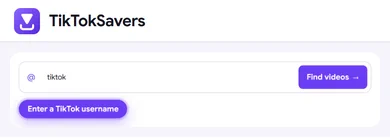
01Step 1: Enter the Username
Type the creator's TikTok handle, with or without the @ symbol, or paste their profile link. Then select Find videos.
-
 02
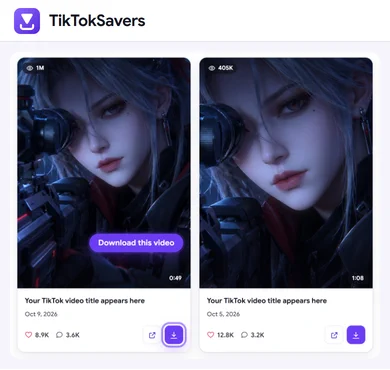
02Step 2: Choose a Public Video
Browse the profile's video grid, which shows each video's views, likes, comments and length. Select More videos to see another page when available, or click a cover to watch the video first.
-
 03
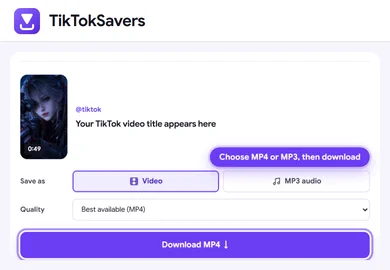
03Step 3: Preview and Download
Select Download on a video, choose Video or MP3 audio and the quality you want, then save the file to your device.
Available quality depends on the original video. The list may take a moment to load, and newly posted videos may not appear immediately.
Works on iPhone, Android, Tablet and PC
The username downloader runs in your web browser, so there is nothing to install. For device-specific tips on where your files are saved, see our TikTok downloader for iPhone and TikTok downloader for PC.
Want to know more about an account before you download? View its public details with the TikTok Profile Viewer, or find out when it was created with the Account Age Checker.
FAQ
Frequently Asked Questions (FAQs)
Can I download a TikTok video using only a username?
Yes. Enter the creator's username to browse their public videos, then choose a video to preview and download. You do not need to copy an individual video link first.
What can I enter in the search box?
Enter a username such as creator or @creator, or a profile link such as https://www.tiktok.com/@creator. If you already have a video link, use the regular TikTok video downloader.
Can I download all videos at once?
Downloads are selected one video at a time. Use More videos to browse the next available page of public posts.
Can I download videos from a private account?
Only public videos are available. Private accounts, drafts and deleted videos cannot be downloaded here.
Why are no videos showing?
Check the spelling of the username, or confirm the handle with our TikTok Username Checker. The account may have no public videos, or TikTok may temporarily prevent the list from loading. Try again later, or use a public video link in the regular downloader.
Can I save audio as MP3?
Yes. After choosing a video, select the available MP3 audio option in the download preview. With a video link, you can also use TikTok to MP3.